

Advertising agency project management software helps ad agencies coordinate campaign timelines, approve creative assets, track media budgets, and manage client communication across accounts.
Unlike generic PM tools built for product teams, the best ad agency project management tools handle multi-stakeholder approvals, campaign versioning, and the constant context-switching that comes with running several accounts simultaneously.
It's 9am on a Monday and you already have three emergencies.
Client A wants the banner ads resized for a platform change that happened over the weekend. Client B's media buyer is asking where the updated creative is, because the campaign was supposed to go live yesterday.
Client C's CMO just forwarded a thread with six people cc'd, asking for a "small tweak" to the landing page that somehow involves new copy, new photography, and a revised CTA.
You open Slack and there are 47 unread messages. Your email has another 23. The shared Google Drive has three versions of the same ad, and nobody can tell you which one the client approved.
This is ad agency project management. Not the clean Gantt chart version. The real version, where campaign deadlines are non-negotiable because media buys don't care about your internal chaos, and every client thinks their account is your only account.
I've been in this exact situation more times than I want to count. And after years of trying to manage it with a patchwork of tools, spreadsheets, and good intentions, I've tested nearly every project management tool that claims to work for agencies. Most of them don't. At least, not for the way ad agencies actually work.
Here's what I've found. If you're not an ad shop, you might be looking for creative agency project management software or marketing agency project management software instead.
What ad agencies actually need from project management software
Before you start comparing feature lists, it helps to be honest about what ad agency work actually looks like. Because it's different from a creative studio, a dev shop, or an in-house marketing team. As I covered in the agency project management guide, most PM tools are built for product teams, not service businesses. Ad agencies sit in an even more specific niche within that gap.
Here's what matters:
Campaign timeline management across multiple clients
Ad campaigns have hard deadlines. Media placements are booked. Launch dates are locked. You can't push a campaign launch because your Kanban board got messy. You need a tool that lets you see every active campaign across every account, with clear visibility into what's due this week. Not a project-level view. A cross-client, cross-campaign view.
Multi-stakeholder approval workflows
A single display ad might need sign-off from the copywriter, the art director, the account manager, the client's marketing lead, and sometimes their legal team. That's five approval steps for one banner. Multiply that across a dozen assets and three clients, and you're looking at hundreds of approvals in a given month. Your tool needs to handle this without turning into an email chain.
Budget and media plan tracking alongside project work
Most PM tools don't touch budgets. But for ad agencies, budget tracking isn't a nice-to-have. Media buys, production costs, and retainer hours all need to live next to the project work. When a client asks "how much of our budget have we spent this month," you shouldn't have to open a different app to answer that. If you've been running this out of spreadsheets, you know the pain. I wrote about the hidden cost of that approach in the spreadsheet tax.
Campaign asset version control
A single campaign might produce 30 versions of a creative: different sizes, different platforms, different copy variations for A/B testing. Losing track of which version the client approved (or worse, running a version they explicitly rejected) is the kind of mistake that erodes trust fast. You need version history, clear naming, and ideally some kind of proofing workflow built in.
Client reporting and visibility into campaign progress
Clients want to know what's happening with their campaigns. But most don't want to learn your PM tool. They want a simple view: what's in progress, what's waiting on their approval, what launched this week. A client portal or reporting feature saves you from writing weekly update emails that take an hour each.
The 8 best advertising agency project management tools for 2026
I've tested or deeply researched each of these tools with ad agency workflows in mind. Here's the honest breakdown.
1. Teamwork
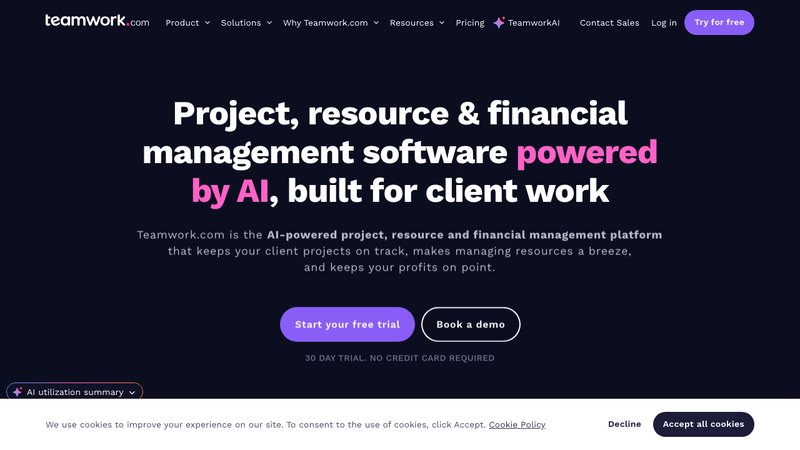
Teamwork is a PSA (professional services automation) tool, and it's one of the better options for agencies. Not flashy, but it does enough things well that you might not need three other tools to fill the gaps.
Best for: Mid-size ad agencies (10 to 30 people) that want project management and client-facing features in one platform.
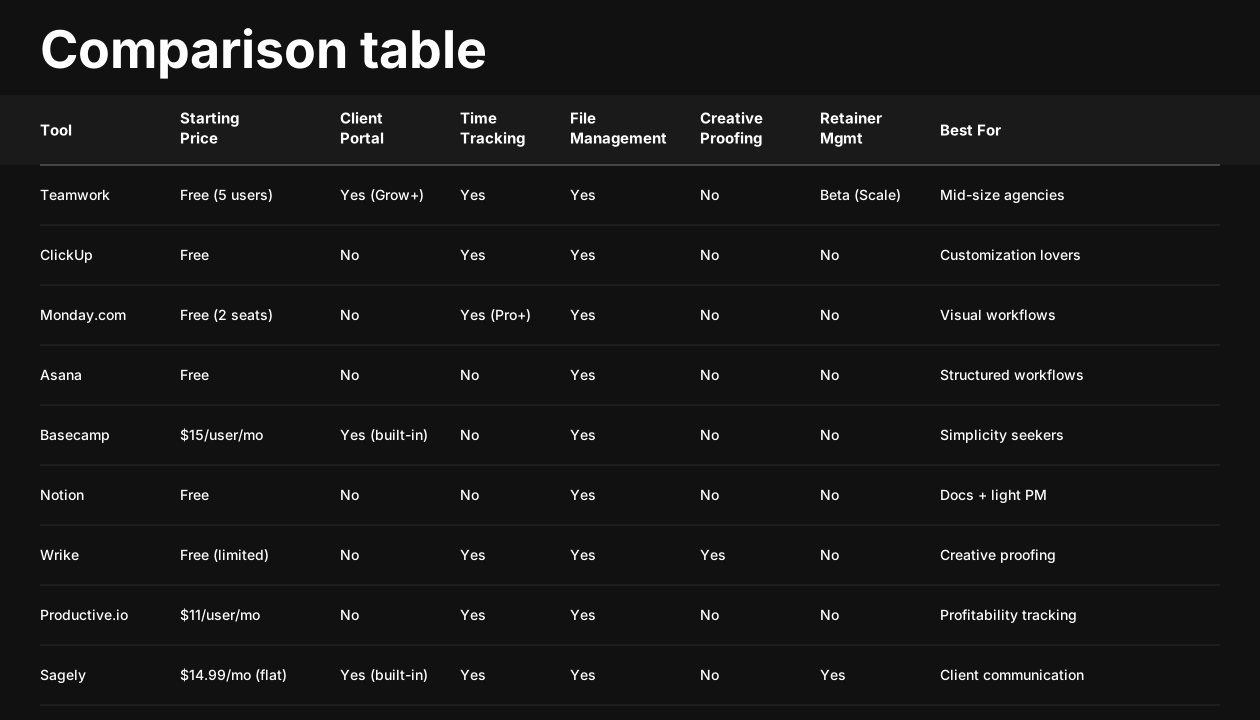
Key features for ad agencies: - Client portal available on the Grow plan and above, so clients can check project status without pinging you - Built-in time tracking across all plans - Retainer management is in beta on the Scale plan, which tracks monthly hours against a client's retainer budget - Task dependencies and milestones for campaign timelines - Profitability reporting (Scale plan) ties project work to revenue
- Pricing: - Free: up to 5 users - Deliver: $13.99/user/month - Grow: $25.99/user/month - Scale: $69.99/user/month
- Pros: - Client portal is useful and means fewer "where are we on this?" emails - Time tracking is built-in, not bolted on, so your team actually uses it - Decent profitability reporting on higher tiers - The free plan is viable for very small teams to test the waters
- Cons: - Retainer management is still in beta and only on the Scale plan ($69.99/user), which makes it expensive for small teams - Per-user pricing adds up fast once you pass five or six people - The interface looks dated compared to ClickUp or Monday - Campaign-specific features (like creative proofing) are limited, you'll need a separate tool
2. ClickUp
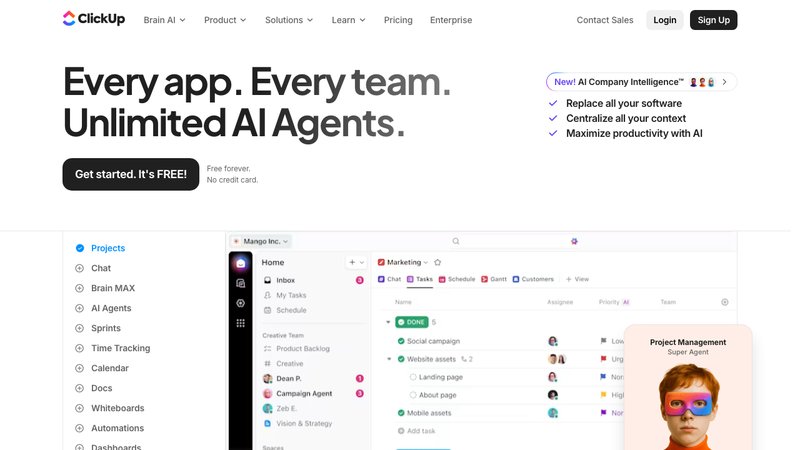
ClickUp does a little of everything. It tries to do it all, and honestly, it does most things reasonably well. The trade-off is complexity. You can customize it into the perfect ad agency workflow, but you'll spend real time building that setup.
Best for: Ad agencies that want extreme flexibility and don't mind a steeper setup investment.
Key features for ad agencies: - Custom views: list, board, Gantt, calendar, timeline, table, and more - Built-in time tracking on all paid plans - ClickUp Docs for creative briefs and campaign documentation - Custom fields and statuses let you build campaign-specific workflows - Dashboards for cross-client reporting
- Pricing: - Free: limited features - Unlimited: $7/user/month - Business: $12/user/month - Enterprise: custom pricing
- Pros: - Unmatched customization, you can build nearly any workflow you can imagine - Best value per user at the lower tiers - Native docs, whiteboards, and goals reduce the need for separate tools - Active development, new features ship frequently
- Cons: - No native client portal, your clients won't see their projects unless you give them a full account - The learning curve is real. Plan for a week of setup before it's useful - Performance can lag on larger workspaces with heavy customization - Feature overload can be paralyzing if you don't know exactly what you need
3. Monday.com
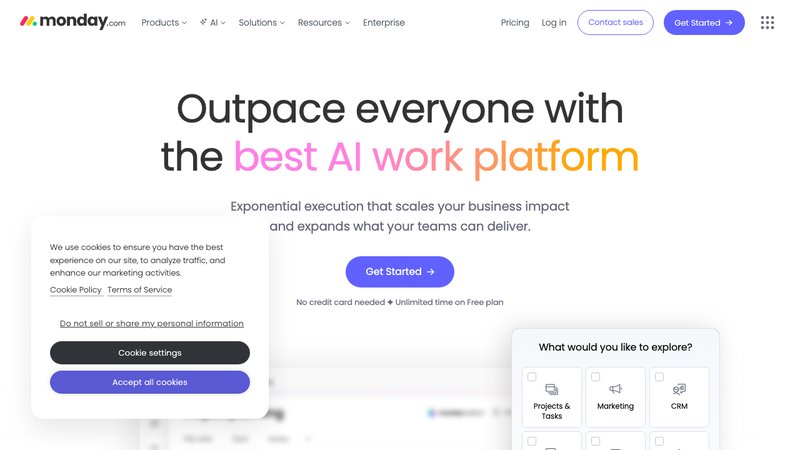
Monday is the most visual of the bunch. If your team thinks in boards, color codes, and drag-and-drop, Monday makes campaign management feel intuitive. It's also the tool most likely to get buy-in from visual thinkers like creative directors and designers.
Best for: Ad agencies that manage campaigns visually and want a tool the whole team (including creatives) will actually use.
Key features for ad agencies: - Visual campaign tracking boards that map well to ad production workflows - Automations that can move items between boards, notify stakeholders, and update statuses - Built-in integrations with common ad tools - Workload view for resource management across campaigns - Campaign dashboards with charts and timeline views
- Pricing: - Individual: free for up to 2 seats - Basic: $12/seat/month - Standard: $14/seat/month - Pro: $27/seat/month
- Pros: - Beautiful, intuitive interface that creative teams actually enjoy using - Strong automation capabilities reduce manual status updates - Good integration ecosystem for connecting to ad platforms - Visual workload management helps prevent burnout on campaign-heavy weeks
- Cons: - No native client portal, clients need a paid seat or you're sharing screenshots - Native time tracking is only available on the Pro plan ($27/seat/mo) - Per-seat pricing makes it expensive for larger teams - Customization has limits compared to ClickUp, you're working within Monday's structure
4. Asana
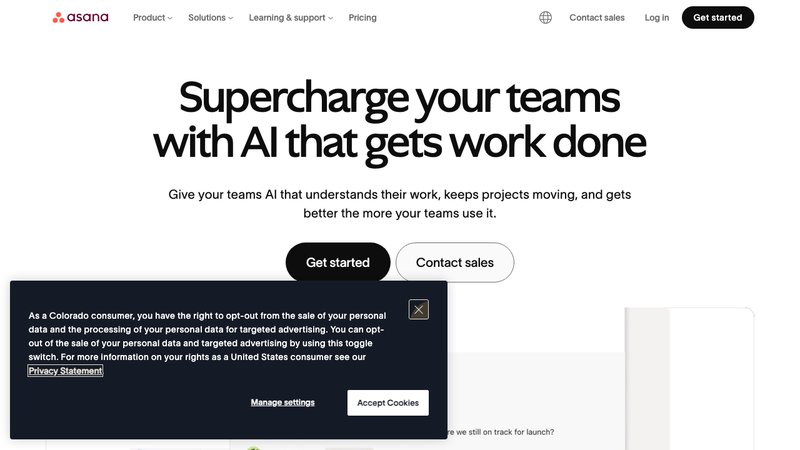
Asana does structured task management better than almost anyone. If your agency runs campaigns with predictable phases (brief, concept, production, review, launch), Asana's workflow templates and portfolio views make it easy to keep everything on track. It's less flexible than ClickUp but more focused.
Best for: Ad agencies with structured, repeatable campaign workflows that value consistency over customization.
Key features for ad agencies: - Portfolios provide a bird's-eye view of all active campaigns across clients - Workload management shows who's overbooked and who has capacity - Campaign templates let you spin up a new campaign with pre-built task structures - Timeline view for Gantt-style campaign planning - Rules and automations for approval routing
- Pricing: - Personal: free for individuals - Starter: $13.49/user/month - Advanced: $30.49/user/month
- Pros: - Clean, focused interface that doesn't overwhelm new users - Portfolios and workload views are useful for multi-client campaign oversight - Templates save real time when launching similar campaign types - Strong mobile app for account managers on the go
- Cons: - No native client portal - Time tracking requires a third-party integration (Harvest, Toggl, etc.) - Limited customization compared to ClickUp or Monday - The jump from Starter to Advanced is steep ($13.49 to $30.49/user), and many useful features are locked behind Advanced
5. Wrike
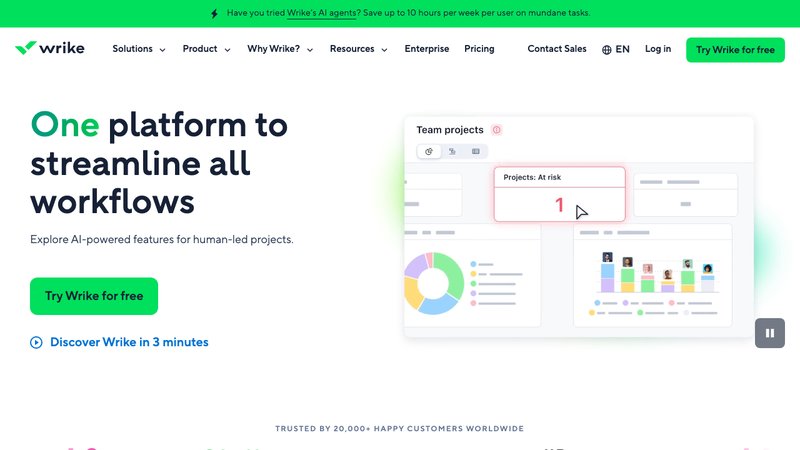
Wrike is built for complexity. If your agency handles enterprise clients with multi-phase campaigns, complex approval chains that involve legal review, and large creative teams, Wrike has the depth to handle it. It's not the simplest option, but it's one of the most powerful.
Best for: Larger ad agencies (20+ people) with complex campaigns, multiple rounds of creative approvals, and enterprise clients.
Key features for ad agencies: - Built-in proofing for creative assets, including visual markup on images and videos - Resource management with workload balancing - Custom request forms for intake from clients - Cross-tagging lets a task live in multiple projects simultaneously (useful when one asset serves multiple campaigns) - Detailed reporting and analytics
- Pricing: - Free: basic features - Team: $10/user/month - Business: $24.80/user/month - Enterprise: custom pricing
- Pros: - Proofing tools are excellent for creative review and approval workflows - Cross-tagging is a unique feature for agencies managing shared assets - Custom request forms work well as a lightweight client intake system - Enterprise-level security and compliance for agencies with regulated clients
- Cons: - The interface has a learning curve, especially for team members who just need to check tasks - Overkill for small agencies with straightforward campaign workflows - Per-user pricing at the Business tier ($24.80) gets expensive for larger teams - Can feel heavy and slow compared to more modern tools
6. Productive.io
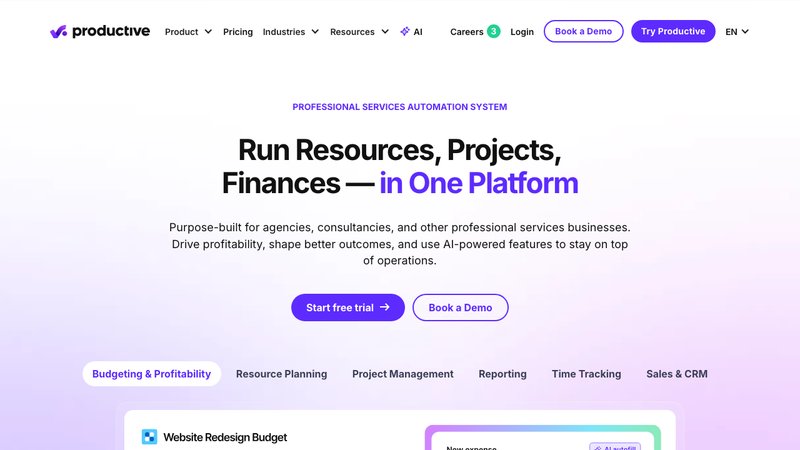
Productive is a PSA platform built for agencies. Unlike the general-purpose PM tools on this list, Productive was designed for how agencies work: retainers, budgets, resource allocation, and profitability tracking. If your primary concern is knowing whether your accounts are actually making money, Productive is worth a serious look.
Best for: Ad agencies that need profitability tracking and resource planning alongside project management.
Key features for ad agencies: - Budget tracking tied directly to projects and campaigns - Resource planning with utilization rates - Profitability insights per client, per campaign, or per team member - Time tracking integrated with budgets - Sales pipeline and deal tracking for new business
- Pricing: - Essential: $11/user/month - Professional: $28/user/month - Ultimate: custom pricing
- Pros: - Financial visibility is exceptional, you can see profitability at every level - Resource planning helps prevent underutilization or burnout - Built for agencies from the start, so concepts like retainers and billable vs. non-billable make sense natively - Clean, modern interface
- Cons: - No client portal, so clients can't self-serve project updates - The gap between Essential ($11) and Professional ($28) is significant, and most useful features require Professional - Less flexible for project management customization compared to ClickUp or Monday - Smaller integration ecosystem than the bigger-name tools
7. Scoro
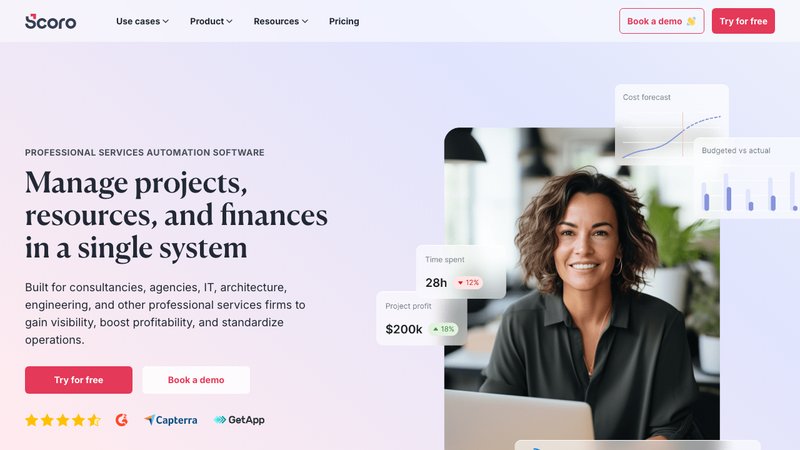
Scoro tries to be the "one tool to rule them all" for agencies. It combines project management, CRM, quoting, billing, and reporting into a single platform. If you're tired of switching between five different apps to run your agency, Scoro's all-in-one approach is appealing. But that comprehensiveness comes with a price tag and a learning curve.\
Best for: Ad agencies that want to consolidate project management, CRM, and billing into a single system and have the budget for it.
Key features for ad agencies: - Project management with Gantt charts, task boards, and campaign planning - Built-in CRM for tracking client relationships and new business - Quoting and invoicing directly tied to project work - Time tracking with automatic billing rate calculations - Financial dashboards and profitability reporting
- Pricing: - Essential: $28/user/month - Standard: $42/user/month - Pro: $71/user/month
- Pros: - The all-in-one approach does reduce tool sprawl (see: tool stack optimization for agencies) - Financial reporting is comprehensive and connects project work to revenue - Quoting and invoicing built in means less admin work - Good for agencies that also manage their own sales pipeline
- Cons: - Most expensive option on this list, even the Essential plan is $28/user - The all-in-one nature means it does many things adequately but few things exceptionally - Implementation takes time, you're not setting this up in an afternoon - Can feel bloated if you only need the PM and time tracking features
8. Sagely
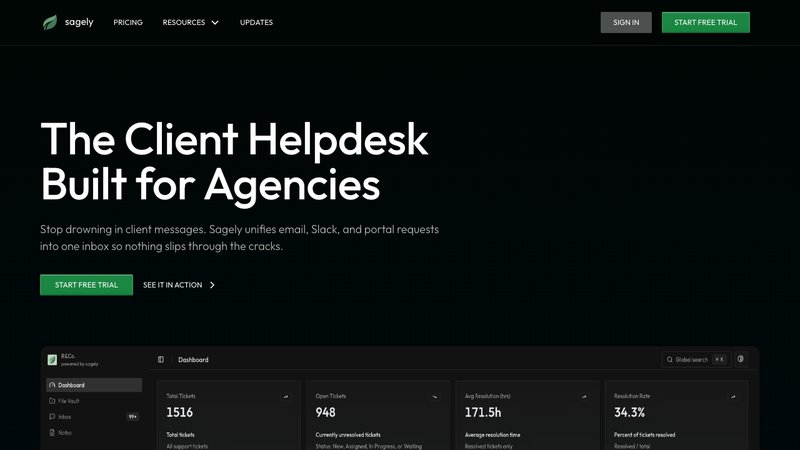
Sagely is a different kind of tool. It's not project management software in the traditional sense. It's an agency helpdesk built around client communication, which is a good fit for ad agencies drowning in scattered campaign feedback.
The core idea: every client request, whether it comes in through Slack, email, or the client portal, becomes a trackable ticket with time logged against it.
Best for: Ad agencies that lose the most time to disorganized client communication, scattered approvals, and untracked revisions rather than project planning.
Key features for ad agencies: - Unified inbox pulls client messages from Slack, email, and a white-label client portal into one view - Retainer management tracks monthly hours with overage alerts, so you know when a client is burning through their budget before it becomes a problem - Time tracking tied directly to tickets, not estimated separately - OTP-secured client portal where clients can submit requests, check status, and share files without learning a new tool - Kanban workflow for managing tickets through review, production, and delivery stages - File vault for organizing campaign assets per client
- Pricing: - Solo: $14.99/month (flat, not per user) - Freelancer: $29/month (flat) - Agency: $79/month (flat
- Pros: - Flat pricing, not per user, makes it dramatically cheaper for growing teams - Built specifically for agency-client workflows, not adapted from product team software - Retainer tracking with alerts prevents the "we went 20 hours over budget and didn't notice" problem - The client portal means fewer status update emails and gives clients a self-serve option
- Cons: - Not a full project management tool, no Gantt charts, no resource planning, no campaign-level timeline views - Relatively new compared to established tools like Asana or Monday - Smaller integration ecosystem - If your primary need is campaign planning rather than client communication, you'll still need a compani
Quick picks: best ad agency PM tool by need
- Best for small boutique ad agencies (under 10 people): Sagely or ClickUp Unlimited. If your biggest pain is client communication chaos, Sagely's flat pricing means you won't pay more as you add team members, and every client interaction gets tracked. If you need more traditional project management, ClickUp at $7/user is hard to beat on value.
- Best for mid-size agencies (10 to 20 people): Teamwork Grow or Productive Professional. Teamwork gives you client portal and time tracking in one place. Productive gives you the profitability insights that mid-size agencies need to figure out which accounts are actually making money.
- Best for client communication: Sagely. This is the only tool on the list built specifically for managing the back-and-forth between agencies and their clients. If the thing killing your agency isn't project planning but rather the scattered mess of Slack messages, emails, and revision requests, this is the tool that addresses that problem directly. I covered why that communication chaos is so costly in the request management for agencies breakdown.
- Best for budget tracking: Productive or Scoro. Both connect project work directly to financial outcomes. Productive is more focused and affordable. Scoro is more comprehensive but significantly more expensive.
How to choose the right ad agency project management tool
Here's a decision framework. Work through these questions honestly, because the right tool for a five-person boutique shop is completely different from the right tool for a 30-person full-service agency.
- What's actually broken right now? Be specific. "Everything is a mess" isn't a diagnosis. Is it that you're losing track of client requests? Missing campaign deadlines? Going over budget without realizing it? Not knowing which team members are overloaded? The bottleneck determines the tool.
- How many clients and campaigns do you manage simultaneously? If you're running 3 to 5 clients with straightforward campaigns, you don't need enterprise software. If you're juggling 15 accounts with different campaign types, approval chains, and budget structures, you need something more capable.
- What's your biggest communication channel with clients? If most client work flows through Slack and email (and it probably does), you need a tool that either integrates with those channels natively or has a client portal that can replace the chaos. As I wrote in agency client management software, the tool that doesn't handle your actual communication channels is the tool your team won't use.
- How important is financial tracking? Some agencies live and die by profitability per client. Others just need to know if they're over or under on retainer hours. If profitability tracking is mission-critical, Productive or Scoro are your best bets. If you just need retainer hour tracking, Sagely or Teamwork can handle it.
- What's your budget per team member? This matters more than most people admit. A 15-person agency on Scoro Pro ($71/user/month) is paying $1,065/month just for PM software. That same team on Sagely's Agency plan pays $79/month total. The features aren't identical, but the price difference is massive. Run the math for your team size before you commit to a trial.
- Will your team actually use it? The best tool in the world is worthless if your creative director refuses to open it. Pick something your team will adopt. Sometimes that means sacrificing features for simplicity.
Advertising agency project management FAQ
What project management software do advertising agencies use?
Most advertising agencies use a combination of tools rather than a single platform. Common choices include Monday.com and Asana for campaign management, Teamwork for agencies that need client portals, and specialized tools like Wrike for agencies with complex creative approval processes. Many smaller ad agencies start with ClickUp or even Google Sheets before moving to agency-focused tools as they scale.
What is the best PM tool for ad agencies?
There's no single best tool because it depends on your primary pain point. For campaign planning and visual management, Monday.com is strong. For structured workflows, Asana works well. For agencies where the biggest problem is managing client communication across channels, Sagely fills a gap the others don't address. For profitability tracking, Productive is the leader.
How do ad agencies manage multiple campaigns simultaneously?
Successful ad agencies typically combine three practices: a central PM tool for task tracking and timelines, a consistent campaign template that gets replicated for each new campaign, and clear ownership rules (one account manager per client, one creative lead per campaign). The PM tool matters, but the process matters more. A bad process in a great tool still produces chaos.
Do ad agencies need specialized PM software?
Not always, but generic tools come with hidden costs. When a PM tool doesn't understand concepts like retainers, billable hours, or multi-client workflows, your team spends time building workarounds. Those workarounds take time to maintain and they break when someone new joins the team. Specialized or agency-focused tools reduce that friction. Whether the friction reduction justifies the cost depends on your agency's size and complexity.
How much does ad agency PM software cost?
The range is wide. Free tiers exist for ClickUp, Teamwork, Monday, Asana, and Wrike, though they're limited. Paid plans typically run from $7/user/month (ClickUp Unlimited) to $71/user/month (Scoro Pro). For a 10-person agency, monthly costs range from about $70 (ClickUp) to over $700 (Scoro). Sagely is an outlier with flat pricing at $14.99 to $79/month regardless of team size. Also budget for the time cost of implementation and training, which can be significant for more complex tools.
Can ad agencies use free project management tools?
Yes, but with caveats. Free tiers from ClickUp, Teamwork, Monday, and Asana can handle basic task tracking for very small teams (2 to 5 people). The limitations typically include restricted user counts, minimal storage, no client portal access, and reduced automation. Most growing ad agencies outgrow free plans within a few months and end up paying for features like time tracking, client visibility, or reporting that were never available on the free tier.
What features should ad agencies prioritize in PM software?
Prioritize based on what's costing you the most right now. For most ad agencies, that means: time tracking (to protect billable hours), some form of client visibility (portal or reporting), approval workflows (to prevent versioning disasters), and cross-client views (to prevent deadline collisions). Campaign-specific features like proofing and asset management are valuable but secondary to these basics.
Get your ad agency project management under control
If you've read this far, you already know the problem. Campaign feedback scattered across Slack, email, and text messages. Revision requests you can't find when a client asks about them. Hours you worked but didn't track because the request came in through a channel your PM tool doesn't touch.
Sagely was built for exactly this. Not as a replacement for your campaign planning tool, but as the system that captures everything your clients throw at you and turns it into trackable, billable work.
Try Sagely free for 14 days