


Digital agencies are a specific kind of chaos. You're not just managing projects. You're running SEO campaigns, paid media, web builds, content calendars, social strategies, email sequences, and probably a handful of things you never planned to offer but said "yes" to because the client asked nicely.
Every one of those workstreams has different timelines, different deliverables, different approval loops. And your clients? They just want to know what's happening, right now, across all of it.
I've run a digital agency where one client had active work across four different service lines simultaneously. PPC, a site redesign, monthly blog content, and an email nurture sequence. The Slack threads alone could've filled a novel. And that was just one account.
A client portal for digital agencies isn't a luxury. It's the thing that keeps you from drowning in status update requests while your team tries to actually do the work.
A client portal for digital agencies is a centralized platform where clients view status across all active campaigns (SEO, paid, content, web), submit change requests, access deliverables, and track retainer usage. Unlike generic portals, it handles the multi-service complexity that defines digital agency work.
But here's the problem: most portal software wasn't built for how digital agencies actually operate. It was built for IT helpdesks, or single-service productized shops, or enterprise support teams. The result is a tool that technically "works" but doesn't match the reality of juggling five different campaign types for the same client.
This article breaks down what digital agencies specifically need from a client portal, where generic tools fall short, and which options are actually worth considering. If you want the full picture first, start with our complete guide to client portals for agencies.
Why digital agencies have it harder than everyone else
Digital agencies run concurrent workstreams with completely different rhythms per client. SEO, paid media, content, and web projects all have different timelines, deliverables, and approval loops, making a single-project portal useless.
I'm biased, obviously. But hear me out.
A branding studio has a relatively linear workflow. Brief, concepting, design rounds, final delivery. Clean. Predictable. A dev shop has sprints, tickets, releases. Structured.
A digital marketing agency? You're running concurrent workstreams with completely different rhythms. Your SEO work operates on a 3-6 month timeline. Your paid media campaigns need daily or weekly adjustments. Your content calendar runs monthly. And your web projects have hard launch dates that everything else has to work around.
Now multiply that by 10 or 15 clients, each with a slightly different mix of services.
The unique challenges stack up fast:
Multiple project types per client. One client might have active SEO, paid social, and a landing page build happening at the same time. They don't care about your internal project structure. They want one place to see everything.
Fast execution cycles with rapid changes. Digital marketing moves quickly. A paid campaign that's underperforming needs adjustments today, not next sprint. Clients send change requests constantly, and if those requests are scattered across email, Slack, and text messages, things get missed.
Deliverables all over the place. In one week you might deliver a keyword report (spreadsheet), ad creative (image files), landing page mockups (Figma links), a content calendar (Google Sheet), and a performance report (PDF or dashboard link). Good luck organizing all of that in a shared Drive folder.
Reporting overload. Digital clients want data. Google Analytics, ad platform metrics, rank tracking, conversion data. If you're exporting PDFs and emailing them every month, you're spending hours on a task that should take minutes.
This is why a generic project management tool with a "client view" doesn't cut it. Digital agencies need portals built for the actual mess of multi-service, fast-moving client work.
What digital agencies actually need from a portal
Digital agency portals need cross-service status views, structured change request forms, organized deliverable libraries for varied file types, and built-in feedback and approval workflows.
After years of trying different setups (shared Google Drives, client-facing Asana boards, custom-built dashboards that broke constantly), I've landed on what actually matters versus what sounds good in a sales demo.
Project status across service lines
Your client doesn't think in "projects." They think in "what's my agency doing for me right now?" A digital agency client portal needs to show status across every active workstream for that client in one view. Not separate logins per project. Not a different board for SEO and another for paid. One place, everything visible.
This sounds basic but it's surprisingly rare. Most tools force you to create separate projects or workspaces for each service line. That's fine for your internal team. It's terrible for the client who just wants a quick snapshot.
Change request management
Digital marketing generates a ton of change requests. "Can we swap the headline on that ad?" "The client's CEO wants to add a page to the site." "We need to pause this campaign and reallocate budget to that one."
These requests need structure. A proper form that captures what's changing, which project it affects, the priority level, and any relevant assets or context. If changes come in through Slack DMs, they don't get tracked, they don't get scoped, and three weeks later you're explaining why the retainer hours ran over.
For a deeper look at how to build request workflows into your operations, check out our guide on request management for agencies.
Asset delivery and file organization
Digital agencies produce a wild variety of deliverables. Reports, design files, copy docs, media assets, campaign screenshots, analytics exports. Your clients need to find the right file without digging through 47 folders.
A good portal organizes deliverables by client and project, with clear versioning. When your client's CMO asks for "that ad creative from the Q3 campaign," they should be able to find it in under a minute. Without emailing you.
Feedback and approval loops
Approvals in digital agency work are constant. Ad copy needs sign-off. Landing page designs need review. Content calendars need approval before you start writing. If your approval process is "send a PDF and wait for an email reply," you're building delays into every project.
The portal should support inline feedback, or at minimum, a clear approve/reject workflow tied to specific deliverables. Chasing approvals over email is one of the biggest time sinks I've seen in agency operations, and a structured system cuts that dramatically.
Integration requirements (this is where most portals fall short)
Your portal must connect to Slack or email, analytics platforms, design tools, and your PM system. If your team has to manually update the portal, it gets abandoned within a month.
Digital agencies live in a web of tools. And your portal needs to actually connect to them, or it becomes yet another silo that nobody maintains.
Here's what matters:
Communication tools. Your team is probably in Slack. Your clients might be in Slack, or email, or both. The portal needs to bridge that gap. An omni-channel inbox that pulls in messages from Slack, email, and the portal itself into one unified thread is the difference between organized communication and the chaos you already have.
Analytics and reporting. If your portal can surface live analytics dashboards (or at least embed them), you eliminate the monthly reporting grind. Instead of building a 20-page PDF nobody reads, clients can log in and see campaign performance whenever they want. Some agencies connect Google Data Studio or Looker dashboards directly into their portal.
Design and creative tools. Figma links, Canva exports, video proofs. The portal should handle file previews and feedback for creative assets without forcing clients to create accounts on your design tools.
Project management. If your team tracks work in Asana, Monday, ClickUp, or Linear, the portal should sync project status automatically. Manual status updates are the first thing that gets abandoned when the team is busy.
The integration question is really a question about sustainability. A portal that requires your team to manually update statuses, upload files, and sync data across platforms will get neglected within a month. The best portals pull data from where your team already works.
Branding matters more than you think
A white-labeled portal with your agency's domain, logo, and colors reinforces professionalism. For a digital agency selling marketing expertise, off-brand client tools are a credibility problem.
Here's something I didn't appreciate early on: how your portal looks matters to clients. A lot.
When a client logs into a portal branded with your agency's logo, colors, and domain, it reinforces that they're working with a professional operation. It feels intentional. It feels like part of the service they're paying for.
When they log into a generic SaaS tool with someone else's branding, it feels like you cobbled something together. Even if the functionality is identical, the perception is different.
For digital agencies specifically, branding is even more important. You're selling marketing expertise. If your own client-facing tools look unpolished or off-brand, that's a credibility problem. Your client is thinking: "They're supposed to be the digital experts, and this is what their client experience looks like?"
White-label capability (custom domain, logo, colors) should be non-negotiable for any digital agency portal. Some platforms charge extra for it. Factor that into the total cost.
Portal options worth considering
I've tested a lot of portal software. Most of it is fine for simple use cases and breaks down when you throw the complexity of a digital agency at it. Here's what I'd actually recommend looking at:
Sagely
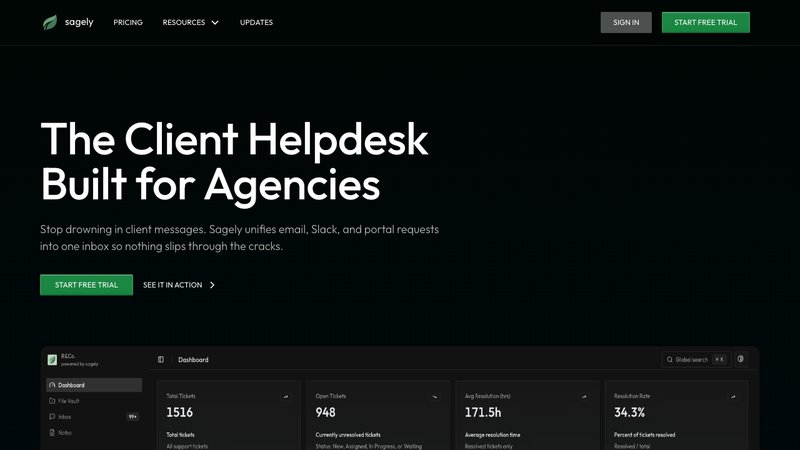
Sagely is built for small to mid-size agencies (1-20 people) and handles the multi-service chaos well. The OTP-gated portal means clients log in with a one-time code instead of creating another password they'll forget. The omni-channel inbox pulls Slack, email, and portal messages into one thread per client, which is genuinely useful when your team communicates across channels.
It also includes native retainer tracking, so clients can see how their hours are being used without you exporting a spreadsheet every month. Pricing is flat ($14.99-79/month), not per-seat, which matters when your team grows.
Best for: Digital agencies managing 5-20 clients across multiple service lines who need consolidated communication and retainer visibility.
Agency Handy
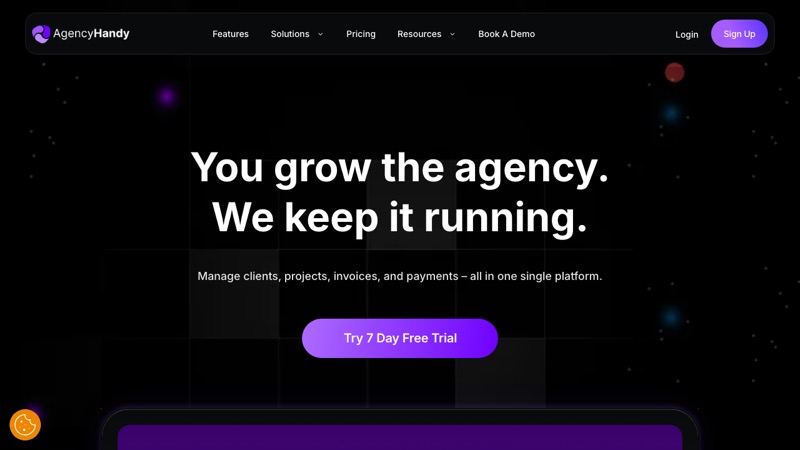
Agency Handy takes an all-in-one approach with a focus on productized service delivery. If your digital agency has standardized packages (like a "monthly SEO package" or "social media management tier"), Agency Handy's service catalog and order flow work well. It includes file feedback features and client-facing project views.
Pricing runs $19-139/month depending on the tier. The productized service angle is strong, but if your work is more custom and project-based than package-based, the structure might feel rigid.
Best for: Digital agencies with clearly defined service packages looking for an all-in-one with built-in order management.
ManyRequests
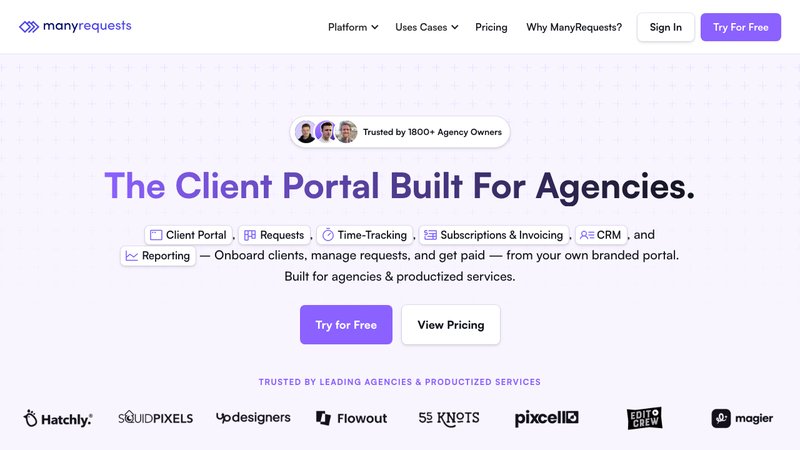
ManyRequests was originally built for design agencies but has expanded to cover broader digital services. Its queue system and design proofing tools are solid for agencies that handle a lot of creative output. White-label is available, and the client portal is clean and intuitive.
The catch is pricing. At $59-99/month per seat, costs scale quickly with team size. For a 6-person agency, you could be looking at $350-600/month just for the portal. That math needs to work for your margins.
Best for: Creative-heavy digital agencies doing high-volume design and content work, especially with productized or retainer-based pricing.
For a deeper comparison of all the options, see our full client portal software guide.
Metrics that actually tell you it's working
Track portal adoption rate, reduction in status-update emails, change request turnaround time, and whether portal-active clients retain longer than inactive ones.
Setting up a portal is one thing. Knowing if it's working is another. Here are the metrics that matter for digital agencies:
Portal adoption rate. What percentage of your clients are actually logging in? If you set up a beautiful portal and only 3 out of 15 clients use it, you haven't solved anything. Aim for 70%+ adoption within the first 60 days. If you're below that, the problem is usually onboarding, not the tool. Check out our client onboarding guide for how to introduce the portal properly.
Reduction in status update requests. Track how many "what's the status?" emails and Slack messages your team gets before and after the portal. A good portal should cut these by 50-70% within the first month. That's real time back in your week.
Change request turnaround. When requests come through structured portal forms instead of scattered messages, they should move faster. Measure the time from request submission to completion. If it's not improving, your internal workflow might need adjustment.
Client retention correlation. This is the long game. Track whether clients who actively use the portal stay longer than clients who don't. In my experience, the correlation is strong. Clients who feel informed and in control churn less.
FAQ
What makes a client portal for digital agencies different from a general portal?
Digital agencies run multiple concurrent workstreams per client (SEO, paid media, content, web development) with different timelines and deliverable types. A digital agency portal needs to show status across all service lines in one view, handle varied file types, and integrate with marketing-specific tools. General portals typically assume one project per client, which doesn't fit.
Do I need a separate portal if I already use project management software?
Probably. PM tools show internal tasks, assignees, and time estimates that clients don't need to see. A client portal gives clients a curated view: project status, deliverables, retainer usage, and request submission. Using your PM tool as a client portal usually means oversharing internal details or spending hours building filtered views that break when you change your workflow.
How do I get clients to actually use the portal?
Introduce it during onboarding, not after. Make the portal the default for all deliverables and status updates. When a client emails for a status update, respond with the answer and add: "You can also check this anytime in your portal." Adoption follows convenience. If the portal is genuinely easier than emailing you, clients will use it.
What should a digital agency portal cost?
Expect $15-150/month depending on team size and features. Watch out for per-seat pricing, which scales fast as your team grows. Flat-rate models are more predictable for agencies. Factor in white-label costs if charged separately. The real cost question isn't what you pay for the portal. It's what you're losing in billable time and client churn without one.