


Client Portal Software for SEO Agencies
Last updated: March 2026
SEO is probably the hardest agency service to put inside a client portal. And I don't say that lightly.
With design work, you upload a mockup and the client can see it. With paid media, there's a dashboard with spend, clicks, and conversions that updates daily. With development, there's a staging link they can click. But SEO? You're asking people to pay thousands of dollars a month and trust that what you're doing will eventually show up in Google. Months from now. Maybe.
That's a tough sell. And when those clients log into your portal, what are they supposed to see? A keyword spreadsheet? A "trust us" message?
I've managed SEO retainers where the work was excellent. Strategy was solid, content was strong, technical fixes were getting deployed. But the client still felt uneasy because there was nothing tangible to look at. No deliverable they could hold up to their boss and say "look what the agency did this month." That anxiety, left unmanaged, kills the relationship. Not because the work was bad, but because the client couldn't see the work.
A client portal for SEO agencies surfaces ranking trends, organic traffic data, content performance metrics, and detailed work logs in one client-facing dashboard, making months of behind-the-scenes work feel tangible and reducing client anxiety during the 4-to-12-month window before results fully show up.
A client portal for an SEO agency isn't about project management. It's about making an invisible service feel real. And that's a fundamentally different problem than what most portal software was built to solve. For the broader picture, see our complete guide to client portals for agencies.
Why SEO agencies have different portal needs
SEO agencies face three portal challenges other agency types don't: results take 4-12 months, the work itself is invisible to clients, and the metrics are full of jargon that most clients can't interpret without context.
Every agency type has its quirks. But SEO agencies face a very specific set of challenges that make generic portal tools a bad fit.
The timeline problem
SEO takes 4 to 12 months to show meaningful results. That's the industry standard, and anyone telling clients otherwise is setting themselves up for a miserable Q3. According to Ahrefs, only 5.7% of pages rank in the top 10 within their first year. Let that sink in for a second. You're doing months of work, billing monthly, and the results your client actually cares about (rankings, traffic, leads) might not materialize for half a year or longer.
During that gap, your portal needs to show progress. Not "we published 4 blog posts" progress. Real, measurable movement. Keyword position changes, indexing status, backlink acquisition, technical health improvements. The stuff that proves the machine is working even before the traffic arrives.
The intangibility problem
When a designer delivers a logo, the client gets a file. When a developer ships a feature, the client sees it on screen. When an SEO builds links and optimizes metadata? The client doesn't see anything happen.
This makes SEO clients uniquely anxious. They're paying for work they can't see or verify. And that anxiety compounds. By month three with no obvious traffic spike, you'll start getting the emails: "Just checking in on where things stand." A client checking in that often isn't curious — they're losing confidence.
The jargon problem
SEO lives on metrics that mean nothing to most clients. Crawl budget. Canonical tags. Domain authority. TF-IDF scores. Even "keyword difficulty" requires a five-minute explanation for someone who doesn't live in Ahrefs.
Your client portal needs to translate all of that into something a marketing director (or worse, a CEO with no marketing background) can understand at a glance. If your portal surfaces raw data from your SEO tools without any context or narrative, you've just given your client a reason to feel more confused and more anxious.
What SEO clients actually want to see
SEO clients want four things in their portal: priority keyword rankings with directional trends, organic traffic data tied to specific pages, content performance tracking, and a plain-English work log showing what your team actually did each month.
I've had this conversation with dozens of agency clients over the years. Here's what they consistently care about, and what they don't.
Rankings that tell a story
Every SEO client wants to know: "Are we going up?" That's it. They don't care about the 47 keywords in positions 45-60. They care about the 5 keywords that matter to their business.
Your portal should show trajectory, not snapshots. "Keyword X moved from position 32 to 18 over the last 90 days" is progress a client understands. A spreadsheet with 200 keywords and no historical context looks like nothing is happening.
Curate a dashboard with 10 to 15 priority keywords showing directional movement over time. Keep the full data accessible for clients who want to dig in, but lead with the story.
Traffic and its source
Organic traffic is the metric clients actually understand because it connects directly to their business. Page views. Sessions. Users. These are numbers they already see in their own analytics.
Your portal should show organic traffic trends with clear labels. Not just "sessions went up 12%." Show them which pages drove the growth. Show them the content you published that's starting to pull in traffic. Connect the dots between the work you're doing and the numbers they care about.
Content performance
If you're producing content as part of your SEO retainers (and most agencies are), clients want to see how it's performing. Which articles are ranking? Which ones are driving traffic?
This is where agencies drop the ball. They publish blog posts, check the "delivered" box, and never circle back with performance data. Six months later, the client asks "what happened with all that content?" and nobody has a good answer. A portal that tracks content performance over time makes the value of your work undeniable.
Work log with context
SEO involves a lot of behind-the-scenes work that clients don't see. Technical audits. Internal linking updates. Schema markup. Site speed optimization. If you're not logging that work somewhere the client can access, it looks like you're doing nothing between content deliveries.
A work log in your portal doesn't need to be granular to the hour. But a monthly summary that says "we fixed 23 crawl errors, updated internal linking on 8 pages, and submitted 3 pages for re-indexing" shows the client there's real work happening, even in the months where rankings haven't moved yet.
Integration requirements for SEO portals
This is where most generic portal tools fail for SEO agencies. They don't connect to the tools you actually use.
Google Search Console. Non-negotiable. GSC data (impressions, clicks, average position, indexing status) is the foundation of SEO reporting. If your portal can't pull or display it, you're exporting CSVs manually. That gets abandoned within two months.
Rank tracking tools. Whether you use Ahrefs, SEMrush, or SE Ranking, your portal needs to surface ranking data without requiring clients to log in. Most clients don't have accounts and shouldn't need them.
Google Analytics. Clients want to see organic sessions, landing page performance, and conversion data. If they have to go to GA4 themselves (which most never will), the data doesn't exist for them.
Content management. Your portal should track content briefs, drafts, approvals, and publication status. Content production is a huge part of SEO retainer work, so this deserves its own workflow.
The integration challenge for SEO agencies is real. Most portals integrate well with PM and communication tools, but SEO-specific integrations (rank trackers, GSC, keyword tools) are rare. You'll likely need a middle layer: Looker Studio dashboards embedded in your portal, Zapier automations, or manual processes.
Be honest about what's automated versus manual. A portal setup that requires two hours of data entry every week will not survive past month one.
Reporting without the jargon
Lead every report with a 30-second summary a CEO can absorb, then let clients drill into detailed data if they want. A short plain-English paragraph explaining what happened this month does more for client confidence than any chart.
Here's where I've seen SEO agencies either win or lose client trust. Not in the work itself, but in how they communicate it.
The temptation is to impress clients with data. Pages of keyword rankings, technical audit scores, backlink velocity charts. It feels thorough.
But here's the reality: your client's eyes glaze over three charts in. They skim until they find a number they recognize (usually traffic or revenue), form an opinion, and close the tab.
The better approach is layered reporting. Start with a summary a CEO can absorb in 30 seconds: "Organic traffic up 18% this quarter. 3 new keywords in the top 10. Content published: 6 articles." Then let people drill down if they want.
One thing I've done that worked well: include a short plain-English summary at the top of every monthly update. "This month we focused on fixing technical issues preventing Google from indexing your service pages. We published two articles targeting high-intent keywords. Rankings are moving but full traffic impact is 4 to 6 weeks out."
That paragraph does more for client confidence than any chart.
Portal options for SEO agencies
Here's an honest look at what's out there, with the understanding that no portal was built specifically for SEO agencies. You're adapting general tools to fit.
Wayfront
Wayfront markets directly to SEO agencies and has compelling case studies (215% client growth, 10-year retention rates). It's one of the few portals with SEO-specific features like rank tracking dashboards and reporting templates built for search campaigns.
The trade-off is scope. If you offer services beyond SEO, Wayfront may not cover the full picture.
Best for: Pure-play SEO agencies that want a portal built around search campaign reporting.
Sagely
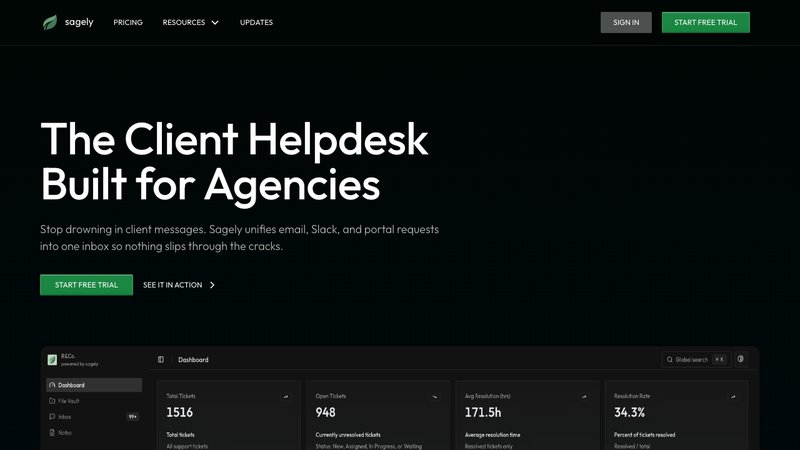
Sagely works well for SEO retainer management. The retainer tracking feature lets clients see how monthly hours are being used, directly addressing the "what is my agency doing?" anxiety. The omni-channel inbox consolidates Slack, email, and portal messages into unified threads.
No native SEO tool integrations, so you'll embed reporting dashboards (Looker Studio works well) or link out to your reporting tool. But retainer visibility and communication consolidation solve two of the biggest pain points in SEO client management. Flat pricing ($14.99-79/month), not per-seat.
Best for: SEO agencies on monthly retainers who need to show clients how hours are spent and keep communication organized.
ManyRequests
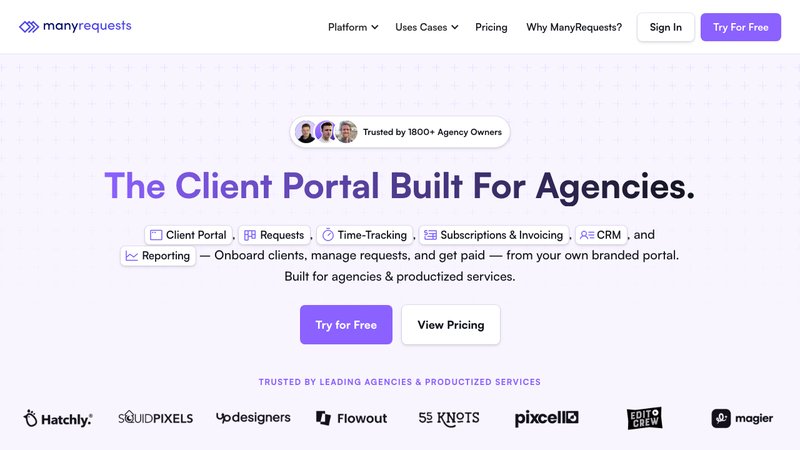
ManyRequests has solid project management and a clean white-label portal. Task queues and client requests are handled well. The design proofing feature is useful if you do design work alongside SEO.
Less SEO-specific than Wayfront, with no built-in rank tracking or GSC integrations. You'd use the same dashboard-embedding approach. Pricing runs $59-99/month per seat, which adds up with larger teams.
Best for: SEO agencies that also do design or content production and want polished project management with a client portal.
For a full breakdown of portal software options, see our client portal software comparison.
Making SEO transparent without overwhelming clients
The whole game with an SEO agency client portal is balance. Show enough that clients feel informed and confident. Don't show so much that they feel confused or micromanage your keyword strategy.
Here's what I've learned works:
Set expectations before the portal does. During onboarding, walk clients through what they'll see in the portal and what the numbers mean. A 5-minute screen share saves months of confused emails. If you haven't nailed your onboarding process, our client onboarding guide covers this in detail.
Curate the default view. Don't dump every metric onto the main dashboard. Surface 3 to 5 main metrics (priority keyword rankings, organic traffic trend, content published, retainer hours used). Put the detailed data one click deeper for the clients who want it.
Add narrative to data. Never let a dashboard speak for itself. Add a short written summary every month that interprets the data in plain language. "Rankings improved on 7 of 12 priority keywords" means more than a chart that requires interpretation.
Be honest about timelines. If the portal shows flat traffic in month two, that should come with context. Not excuses, context. "Organic traffic typically takes 4 to 6 months to respond to the work we're doing. Here's what we're building during this period." Clients can handle patience when they understand why.
The agencies that retain SEO clients the longest aren't always the ones with the best results. They're the ones who communicate the best. A portal built around transparency (not data overload) is how you get there.
For more on building a portal strategy that fits your agency's full service offering, check out our complete guide to client portals for agencies.
FAQ
Why do SEO agencies need a specialized client portal?
SEO results take months to show up, and the work happens inside tools and search indexes clients never see. A portal for SEO agencies makes that progress visible through ranking trends, traffic data, content performance, and work logs. Generic task-delivery portals don't solve the core problem: client anxiety about whether the investment is working.
What SEO data should I show clients in the portal?
Focus on metrics that tell a story. Start with 10 to 15 priority keyword rankings with directional movement, organic traffic trends, content performance data, and a plain-English work log. Keep the full dataset accessible for clients who want to explore, but don't make it the default view. Most clients want a 30-second snapshot, not a 30-page report.
Can I use my existing SEO tools with a client portal?
Most portals don't natively integrate with Ahrefs, SEMrush, or Google Search Console. The common workaround is embedding Looker Studio dashboards, which pull data from GSC, GA4, and rank trackers. Some agencies use Zapier or Make to automate data transfers. Expect to spend time building this layer; it's rarely plug-and-play.
How do I keep SEO clients engaged with the portal long-term?
Introduce the portal during onboarding, not after the first invoice. Make it the only place clients get deliverables and reports. Add a written narrative with every monthly update explaining what the numbers mean. When rankings move or content starts performing, send a quick portal message pointing it out. Clients engage with portals that deliver good news.