


Most agencies have a client onboarding process, but almost none of it is systematised.
The onboarding "process" is usually a mix of a shared Google Doc, a Slack channel created at the last minute, and a mental checklist the account manager carries in their head.
Client onboarding software automates and systematises the new-client intake process, replacing that patchwork with a repeatable, trackable workflow.
If you haven't nailed down your onboarding process yet, read Agency Client Onboarding: The Process Most Agencies Skip first. This article covers the software side: what tools actually exist, what they cost, and which ones are built for agencies versus solo freelancers.
Quick Answer: The best client onboarding software for agencies depends on where your process breaks down. For post-kickoff communication and client portals, Sagely is the agency-first option. For intake forms, contracts, and automated sequences, HoneyBook and Dubsado are the strongest fits.
What client onboarding software actually does
Client onboarding software covers a set of functions that, when executed well, turn a signed contract into a structured, on-track first week. Most onboarding tools cover at least a few of these five areas; the best cover all five.
- Intake forms capture project requirements, brand assets, access credentials, and stakeholder details before the kickoff call. Done properly, intake removes the back-and-forth email chain that typically follows a contract signing, so your team starts the project with what they need.
- Contract and e-signature tools get agreements signed fast. Some platforms build this natively; others integrate with DocuSign or Dropbox Sign. Either way, a digital paper trail of what was agreed matters the moment a scope dispute surfaces.
- Automated onboarding sequences send welcome emails, trigger task checklists, and notify the internal team the moment a new client is confirmed. Your team starts every engagement from the same point, without anyone manually copying a checklist.
- Client portal access gives clients a centralised place to submit feedback, find files, and track deliverables. Good client portal software replaces the scattered Slack threads and email chains that make client communication so difficult to manage at scale.
Team notifications and visibility ensure the account manager, project manager, and delivery team all see the same client history. No one is flying blind on what was promised or what is outstanding.
Few tools cover all five pillars. Knowing which ones matter most to your agency is the starting point.
Why agencies need dedicated client onboarding tools
Generic productivity tools work well for internal projects. Client onboarding is a different problem. When you stitch together Google Forms, email, Slack, and Notion into a DIY onboarding stack, the seams show up at the worst moments: the client replies to the wrong thread, the form data lives in a spreadsheet no one checks, and the kickoff checklist is a copy-paste from a document the founder wrote three years ago.
The cost of a disorganised first week compounds quickly. Scope creep often starts at intake, because unclear requirements lead to misaligned expectations by week two. Repeat questions erode trust: they signal the agency hasn't read, or can't find, what the client already provided. Early trust erosion shortens the relationship.
A dedicated tool closes those gaps. It creates a single entry point for client information, a visible audit trail, and a structure the whole team can follow regardless of who is available. Tools built for agencies are designed around multi-client, multi-team work. Most alternatives started as freelancer tools and got stretched to cover agency use cases over time.
Core features to evaluate in client onboarding tools
Before committing to a platform, run each candidate against these five pillars and decide which ones are non-negotiable for your team.
- Intake forms: Can you collect structured requirements, assets, and access details at the start of an engagement? Look for conditional logic (so clients only see questions relevant to their project type), file upload support, and the ability to embed the form in your existing client comms flow.
- E-signatures and contracts: If you send contracts, does the tool handle this natively or will you need a separate product like DocuSign? For agencies that already have a contract workflow, this may be a low priority. For agencies still sending PDFs via email, having it built in saves meaningful time.
- Automated task sequences: Can the tool trigger a set of tasks or emails automatically when a new client is created? The kickoff email goes out, the internal notification fires, and the onboarding checklist appears without anyone pressing a button. Your team starts every engagement from the same point.
- Client portal access: Does the client have a place to log in, access files, submit requests, and communicate without resorting to email? This pillar most directly shapes client perception of your agency in the first 30 days.
- Team visibility: Can your whole team see the client's history, open requests, and project status without asking anyone? Single-source-of-truth access separates agencies that scale cleanly from those that stay dependent on one person knowing everything.
Not every tool covers all five. The right choice depends on which pillar is your biggest pain point. A tool that excels at contracts and intake but has a weak portal is the wrong call for an agency drowning in post-kickoff communication chaos.
Top client onboarding software for agencies
Sagely
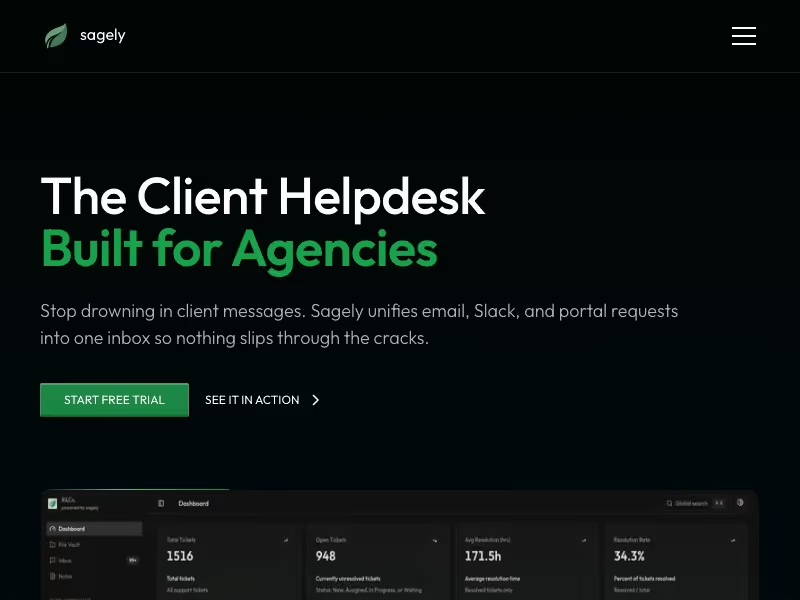
Sagely is built for agencies, and the focus shows. The core product is a branded client portal paired with a unified inbox that merges email and Slack conversations into structured tickets. That combination solves the hardest part of post-kickoff client management: centralising communication without forcing clients to change how they contact you. Sagely also includes a file vault, retainer tracking, and full team visibility so everyone on the account sees the same client history.
Sagely does not include intake questionnaires, contracts, or e-signature features. If your biggest pain point is the first 48 hours of onboarding (collecting requirements, getting contracts signed, sending a welcome email), you need a separate tool for those steps. If your pain is everything after kickoff (scattered Slack threads, lost file versions, clients emailing whoever they can find), Sagely handles it.
Best for: agencies that need to fix post-kickoff communication chaos and Slack/email sprawl. Pricing: Solo $15/mo, Freelance $29/mo, Agency $79/mo (up to 15 users, unlimited clients).
HoneyBook

HoneyBook is an all-in-one platform originally built for solo freelancers and expanded to support small teams on its Premium plan. The feature set covers most of what agencies need: intake and lead forms, contracts with e-sign, invoicing, client portal, workflow automations, scheduling, and AI-assisted features for meeting notes and email drafts. For an agency that wants contracts, intake, and portal in one subscription, HoneyBook covers it.
The UX reflects its freelancer origins. Team collaboration is limited to the Premium plan, and the portal experience is more transactional than the dedicated agency-focused alternatives.
Best for: agencies wanting all-in-one contracts, intake, and portal without managing multiple subscriptions. Pricing (annual): Starter $29/mo, Essentials $36.75/mo, Premium $81.75/mo. Monthly billing: Essentials $49/mo, Premium $109/mo.
Dubsado
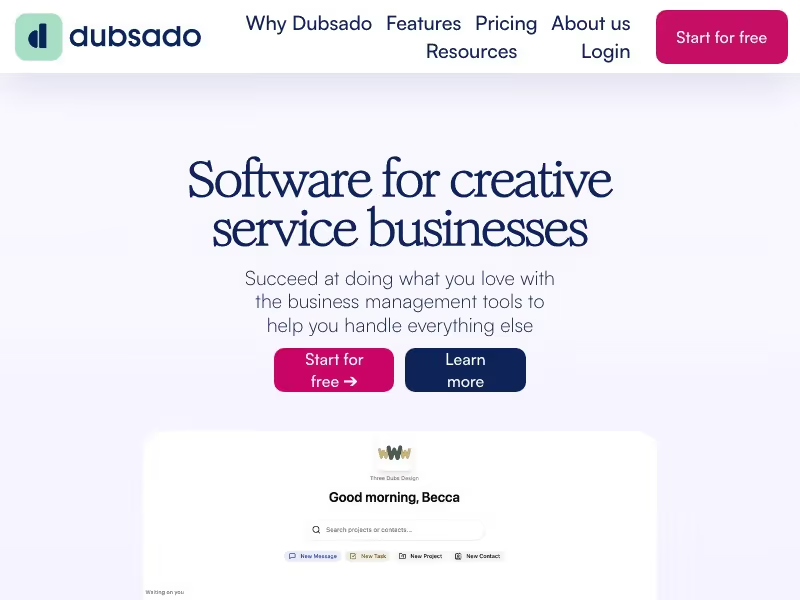
Dubsado has the most flexible form and workflow builder of any tool in this list. The intake questionnaire system supports conditional logic, custom branding, and multi-step flows. Contracts and e-signatures are built in, and the Premier plan adds scheduling and full workflow automations.
The downside is setup time. Dubsado rewards agencies willing to put in a week or two of configuration. It won't serve you well out of the box. Team functionality is limited compared to agency-focused platforms, and the portal experience is functional but basic.
Best for: agencies that want the most flexible form and workflow builder and are willing to put in the setup time. Pricing: Starter $35/mo (3 users included), Premier $55/mo. Additional users: $25/mo per 4-10 seats.
ManyRequests

ManyRequests is purpose-built for agencies, with over 1,800 agency owners on the platform. The client portal is white-labelled with a custom domain, and the platform handles request intake, design and video proofing, subscription and retainer billing, a built-in CRM, and workload management (Pro plan). The Pro plan also adds Slack integration and time tracking.
The notable gap is native contracts: ManyRequests does not include e-sign functionality. For agencies running design or video proofing work and wanting billing plus portal management consolidated into one platform, it is the strongest dedicated option in this comparison.
Best for: creative agencies with design or video proofing needs; agencies wanting billing and portal in one place. Pricing: Core $59/mo (1 seat, +$20/mo per extra seat), Pro $99/mo (+$30/mo per seat). Annual billing saves 20%.
Notion (DIY)
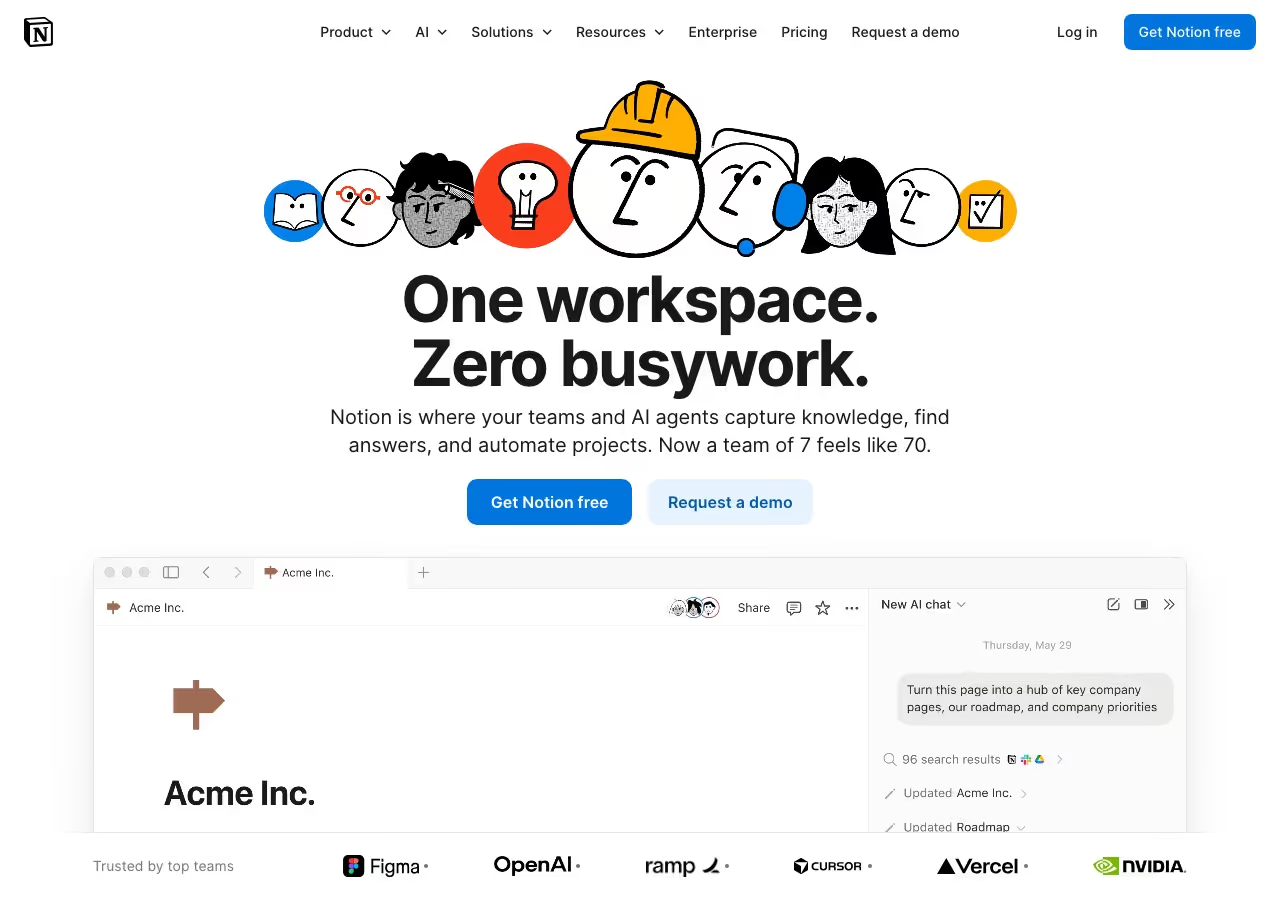
Notion is not client onboarding software. It is a general productivity tool that agencies on tight budgets repurpose as one. With the Business plan, you get shared workspaces, unlimited guests, conditional-logic forms, and basic automations. There are no contracts, no e-sign, no payment processing, and no real client portal infrastructure.
The setup investment is non-trivial: you are building an onboarding system from scratch using Notion databases and templates. The result tends to be fragile and hard to hand off as the team grows. For early-stage agencies with no budget, Notion buys time. It is not a long-term answer for a growing operation.
Best for: scrappy early-stage agencies already deep in Notion with no current budget for dedicated tooling. Pricing: Free, Plus $10/member/mo, Business $20/member/mo.
Comparison table
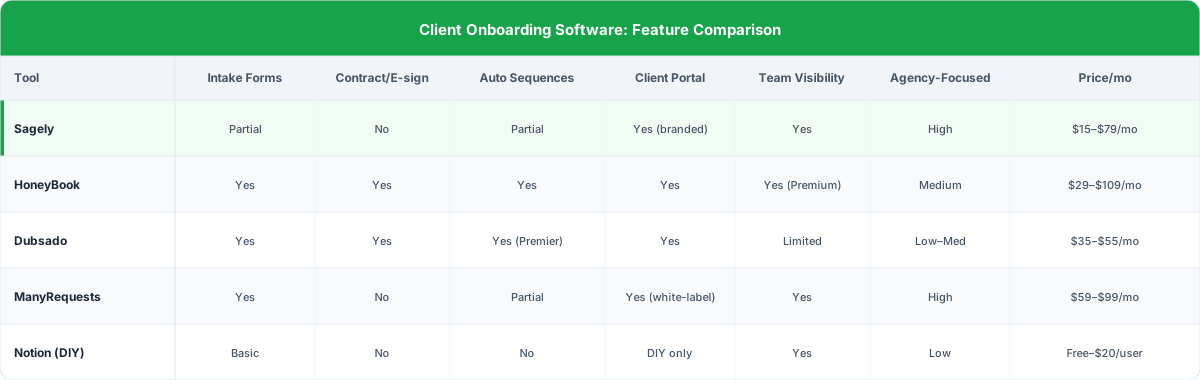
The table below compares client onboarding software across five pillars: intake forms, contracts and e-sign, client portal access, automation sequences, and team visibility. For aggregate user ratings across these tools, see G2's client management software listings.
How to choose: by agency size and workflow
Pick the tool that solves your specific bottleneck at your current size. A longer feature list doesn't matter if most of those features don't apply to you.
- Small agency (1–5 people, tight budget): Start with Notion DIY if budget is the binding constraint and you have the time to set it up. If you can stretch to $35/mo, Dubsado Starter gives you real intake forms, contracts, and a client portal without a large upfront investment. Both work for an agency still figuring out its onboarding process.
- Growing agency (5–15 people, recurring clients): Dedicated tooling starts paying for itself at this size. If recurring retainer clients are the norm and communication chaos is the main problem, Sagely handles the post-kickoff side while a contract tool like Dubsado or HoneyBook handles the front-end. Alternatively, if your work involves design or video proofing, ManyRequests consolidates portal, billing, and proofing into a single platform and removes one tool from the stack.
- Scaling agency (15+ people, systems matter): At this size, a weak onboarding system shows up in handoff errors, repeat questions, and new hire ramp time. ManyRequests Pro handles the portal and billing side at scale. A dedicated contract tool (Dubsado Premier or HoneyBook Premium) covers intake and e-sign at the front end. For agencies invested in Sagely for client communication, pairing it with a front-end intake and contract tool creates a complete stack without doubling per-seat cost.
FAQ
What is the best free client onboarding software?
Notion is the most capable free option, but it requires significant setup and lacks contracts, e-sign, and real portal infrastructure. HoneyBook and Dubsado both offer free trials. There is no free tool that covers all five onboarding pillars without meaningful trade-offs.
Does Sagely handle contracts and e-signatures?
No. Sagely does not include contracts or e-signature functionality. It is focused on post-kickoff client communication: the branded portal, unified inbox, file vault, and retainer tracking. For contracts, pair Sagely with HoneyBook, Dubsado, or a dedicated e-sign tool like DocuSign.
What is the difference between a client portal and client onboarding software?
Client onboarding software covers the full process from lead capture to kickoff: intake forms, contracts, automated sequences, and portal access. A client portal is one component of that process, focused on the ongoing communication and file-sharing layer after the relationship has started. Some tools offer both; others specialise in one. For a deeper breakdown, see the guide to client portals for agencies.
Can I use Notion as a client onboarding system?
Yes, with caveats. Notion handles shared workspaces, intake forms (Business plan), and project tracking. It cannot handle contracts, e-sign, or payment processing without integrations, and building a real client portal requires significant custom setup. It is a viable starting point for lean teams but not a long-term system for growing agencies.
Start with the tool that solves your biggest problem now and build from there. For verified user reviews across all five tools, check Capterra's client onboarding tools directory. For a deeper look at how the portal side works in practice, read the guide to client portals for agencies and use the client management workflow template for a repeatable system you can implement this week.