
Free Client Report Template : AI Fillable PDF
Client reports take too long to build. The typical agency process involves copying metrics from multiple dashboards, formatting them in Google Slides or a PDF editor, adding commentary, and hoping the layout doesn't break.
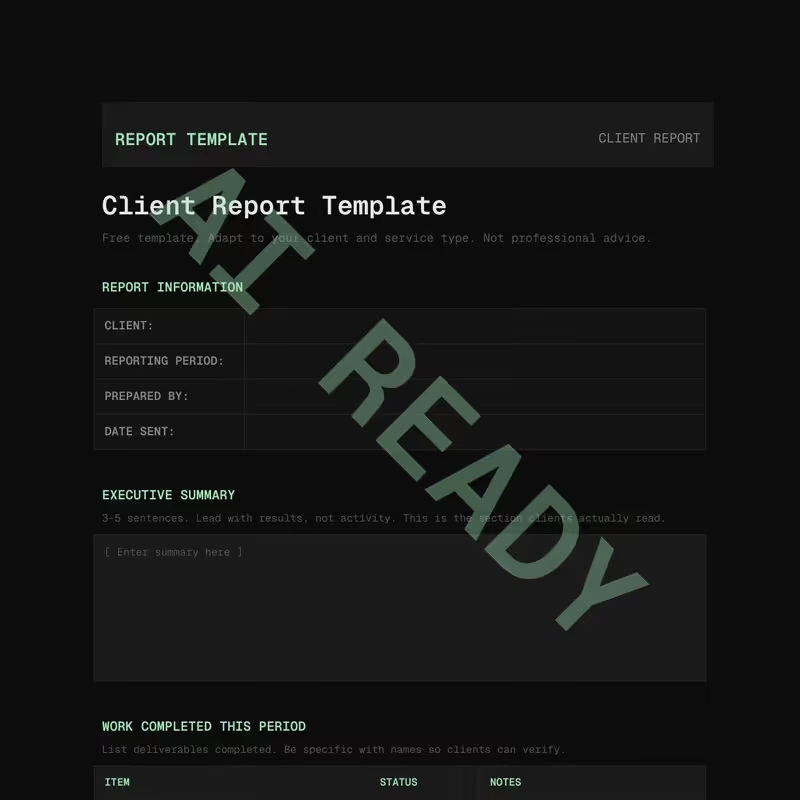
This client report template handles the structure so you can focus on analysis. It includes fillable sections for project status, deliverables completed, key metrics, upcoming work, and budget tracking, organized in a layout that clients can scan in under five minutes.
What the template covers
The report follows a top-down structure that mirrors how most clients read updates: start with the headline results, then drill into the details.
Executive summary
A half-page section at the top that answers the three questions every client has: what did we accomplish this period, are we on track, and is there anything that needs a decision? Write this section last, after the rest of the report is filled in.
Project status
A visual status section where you mark each active workstream as on track, at risk, or blocked. Clients who are short on time can stop here and get the picture. Those who want details can keep reading.
Deliverables completed
A line-by-line list of what was delivered in the reporting period. Date completed, description, and any notes about revisions or approvals. This is the section that justifies the invoice.
Key metrics
The numbers section. Use it for whatever metrics matter to the engagement: traffic, conversions, leads, revenue, response times, completion rates. The template provides a table layout with current period, prior period, and change columns.
Upcoming work
What's planned for the next reporting period. Specific enough that the client knows what to expect, with estimated timelines where possible. This section also flags any blockers or dependencies that need client input.
Budget tracking
Hours used versus hours budgeted, or spend versus budget if you bill by project. Include a running total so the client can see where they stand without asking.
Who this template is for
Marketing agencies, design studios, development shops, PR firms, and consultants who send periodic reports to clients. If you bill for ongoing work and need to show progress, this fits.
It works for weekly, biweekly, or monthly reporting. The sections are the same regardless of cadence. For weekly reports, you might skip the budget section and keep the executive summary to two sentences. For monthly reports, you fill everything in.
Why structured reporting protects your retainer
Clients who feel informed are clients who renew. The opposite is also true: when a client doesn't know what you're working on, they start questioning the value. A regular, structured report keeps them in the loop without requiring ad hoc status calls.
It also creates a paper trail. When a client says "we haven't seen results," you can point to six months of reports showing exactly what was delivered, what the metrics looked like, and what decisions were made along the way.
How the AI-ready format works
This PDF is structured so AI tools can read and extract data from your completed reports. Drop a filled-in report into ChatGPT, Claude, or any document-capable assistant and ask questions about your engagement history.
- Named bookmarks: Each section is bookmarked by title. An AI can jump directly to "Key Metrics" or "Budget Tracking" without scanning the full document.
- Embedded schema: A structured data file inside the PDF maps every section and fillable field. Ask "what deliverables were completed in March?" and the AI locates the right table.
- Document metadata: Report type, subject, and keywords are written into the PDF header for categorization on import.
Over time, if you save completed reports as separate PDFs, you can drop a batch into an AI tool and ask for trend analysis: "How has website traffic changed across the last four reporting periods?"
These contracts are provided as examples only and do not constitute legal advice. By downloading, you agree to use them at your own discretion and accept that we bear no responsibility for how they are used.